
In-app testimonial collection: the 6 in-app collection moments, the conversion data, and the 4 mistakes to avoid
You sent a testimonial request email to 200 customers last quarter. 18 responded. 9% conversion. The other 182 customers never opened the email or deleted it without reading. You wonder if there is a better way.
There is. It is called in-app testimonial collection: asking the customer for a testimonial while they are actively using your product, at the exact moment they have just experienced something worth praising.
This guide covers what in-app collection is, how it differs from email collection, the 6 in-app collection moments and which convert best, the implementation patterns, the conversion data, and the 4 mistakes that hurt in-app collection programs. For the broader collection strategy that includes email, see how to collect testimonials.
What in-app collection is (and is not)
In-app testimonial collection is asking a customer for a testimonial while they are using the product. The ask happens in a modal, slide-out, banner, or dedicated page inside the product interface. The customer does not have to leave the product to respond.
In-app collection is not email collection. Email collection sends the ask to the customer’s inbox. The customer opens a different app, reads the email, decides whether to respond, and writes a testimonial in their email client. Each step has friction. In-app collection shortens the path from “ask” to “response” by removing the inbox round-trip.
In-app collection is also not a generic “rate this product” prompt. The ask is specific to a moment that just occurred. The customer has just experienced something and the ask is in context. Generic rating prompts get dismissed. Contextual in-app asks get responses.
The 6 in-app collection moments and which convert best
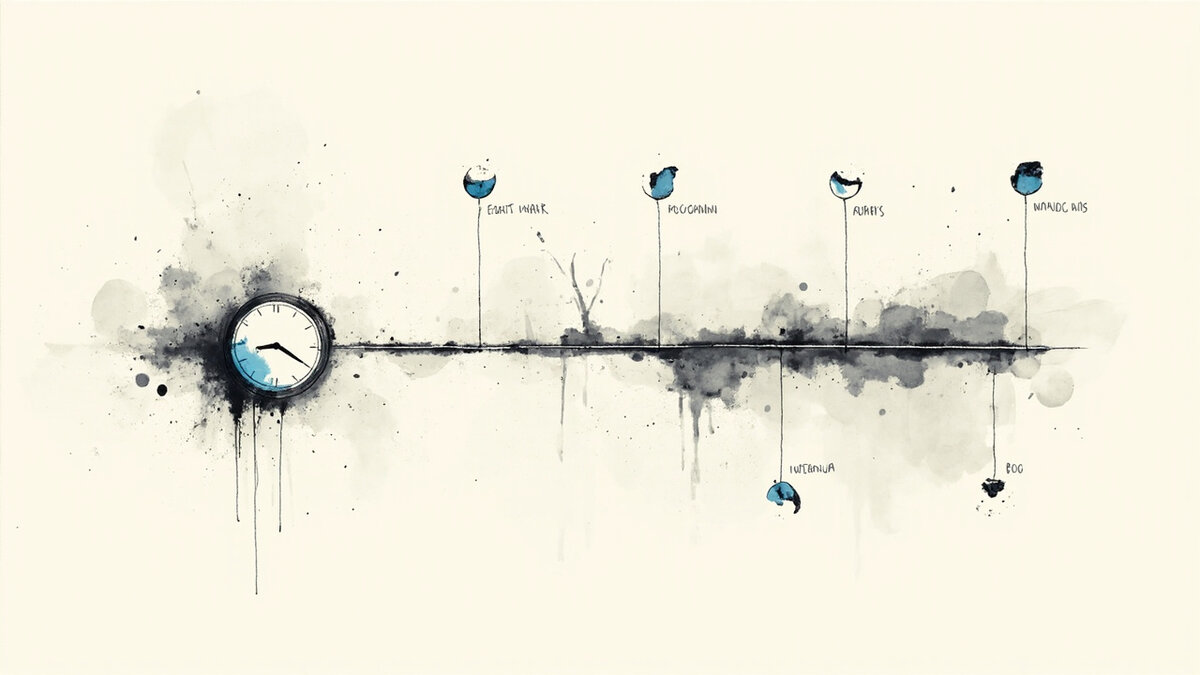
There are 6 specific in-app moments when a testimonial ask converts well. Each moment has a different trigger and produces different types of testimonials.
Moment 1: After a key action. The customer just completed a meaningful action (sent their first email campaign, published their first page, set up their first automation). The action took effort. The customer is invested. Conversion rate: 12-20%.
Moment 2: After a milestone. The customer reached a usage milestone (100th contact, 1000th email sent, 30 days active). The milestone is rare and feels worth marking. Conversion rate: 8-15%. For AI-assisted detection of these moments, see AI testimonial collection.
Moment 3: After a positive support interaction. The customer just got a problem solved in chat. The support agent ended the conversation with “is there anything else I can help with.” The handoff is the right moment to ask. Conversion rate: 25-40%.
Moment 4: After an NPS or CSAT survey that scored high. The customer just gave you a 9 or 10 on NPS. They are feeling positive. The follow-up “would you write a short testimonial” converts at 40-60%.
Moment 5: After a referral completion. The customer just referred someone who signed up. They are feeling helpful and engaged. Conversion rate: 30-50%.
Moment 6: After the customer exports, publishes, or ships something. The customer just completed a meaningful task with the product. The fresh achievement produces detail-rich testimonials. Conversion rate: 15-25%.
The right combination is to identify the 2-3 moments your product naturally supports, build in-app prompts for them, and run them. Most products do not need all 6. They need the 2-3 that match the customer’s natural journey.
In-app vs email collection: the data
The conversion data on in-app vs email collection is consistent across most products. The 3 patterns below hold.
Pattern 1: In-app converts 2-4x higher than email. The customer is already in the product. The ask appears in their workflow. They respond on the spot. Email asks wait for the customer to check email. Most emails are never opened. In-app prompts see the user immediately.
Pattern 2: In-app produces richer content. The customer is in the context of what they are praising. They describe the moment they just experienced. The specificity is higher. Email prompts produce “great product” responses. In-app prompts produce “I just published my first landing page in 10 minutes” responses.
Pattern 3: In-app reduces testimonial collection latency. The time between ask and response drops from 5-7 days (email) to 1-2 days (in-app). The fresher content is also more emotionally accurate. The customer remembered the moment. They write with feeling.
The right strategy uses both. Email works for inactive customers or for after-the-fact collection. In-app works for active customers. Both feed the same library. Most businesses underuse in-app collection because the tooling is more complex than email.
The 3 implementation patterns
There are 3 implementation patterns for in-app testimonial collection. Each has different cost and capability.
Pattern 1: Custom modal. Build a modal that appears after a specific trigger. The modal asks 1-3 questions and submits to your testimonial platform. Pattern 1 requires developer time but offers full control over timing, content, and behavior.
Pattern 2: Third-party widget. Use a testimonial tool that supports in-app prompts (the major platforms in this space offer this). The widget handles the trigger, the form, and the submission. Pattern 2 requires no developer time and costs $19-49/month for the tool. The customizability is limited to what the tool supports.
Pattern 3: Intercom-style chat bot. Use a chat bot with conditional logic. After a specific action, the bot sends a friendly “would you mind sharing a quick thought?” message. The customer replies in the chat. The bot saves the response to your testimonial platform. Pattern 3 requires an existing chat infrastructure.
Most early-stage companies start with Pattern 2 (third-party widget). Pattern 1 (custom modal) makes sense once the collection cadence justifies the engineering investment. The major testimonial platforms handle the trigger logic, the form, and the submission flow natively, which removes the engineering work for Pattern 2 entirely.
The 4 mistakes that hurt in-app collection programs
The 4 mistakes below show up in 70% of first in-app collection implementations. Avoiding them lifts conversion dramatically.
Mistake 1: Asking too early. A modal that appears after the customer has been using the product for 5 minutes produces low-quality testimonials. The customer has not built enough context to praise anything. Wait until the customer has completed a meaningful action (sent 10 emails, published 3 pages, etc.).
Mistake 2: Asking too often. A modal that appears after every action trains the customer to dismiss it. The dismissal rate climbs with each appearance. Limit the prompts to 1 per customer per 30 days.
Mistake 3: Asking after a negative moment. Showing a testimonial prompt after a customer reports a bug or rates a feature 1 star produces angry responses. Ask only after positive moments. Use NPS or CSAT to filter for promoters before asking.
Mistake 4: No dismissal memory. A modal that appears repeatedly after being dismissed feels hostile. Track dismissals and never show the prompt again to a customer who has dismissed it. The “no thanks, don’t ask again” button must be permanent.
The right in-app collection program asks after positive moments only, limits frequency to 1 per 30 days, and respects dismissal permanently. The combination produces 10-25% conversion rates consistently.
When in-app collection does not work
The 4 situations below are when in-app collection produces poor results. Use email instead.
Situation 1: The product is used infrequently. A product the customer opens once a month does not produce enough in-app moments to make the program worthwhile. The customer is rarely in the product to see the prompt. Email is better.
Situation 2: The customer relationship is post-purchase only. An ecommerce store where the customer buys once and does not return cannot ask in-app. The customer does not have ongoing product access. Use post-purchase email.
Situation 3: The product is in a heavily regulated industry. Healthcare or financial products where every prompt needs compliance review are difficult to run in-app. The prompts need compliance approval. Email is more predictable.
Situation 4: The product has no natural milestones. A pure utility product (calculator, file converter) has no meaningful actions to trigger prompts. The customer does not accumulate state worth praising. Consider referral programs instead.
In-app collection works best for SaaS products with active users and meaningful milestones. Outside that scope, the program complexity outweighs the conversion benefit. For the SaaS vertical specifically, see testimonials for SaaS.
What changes when you ship 20 in-app testimonials
The shift is visible in 3 metrics within 90 days of running an in-app collection program.
Metric 1: Testimonial volume. A SaaS company with 1,000 monthly active users running in-app prompts at 2 moments per user per quarter can expect 200-400 testimonials per quarter. The volume beats email-only collection by 3-5x.
Metric 2: Specific outcome quality. In-app testimonials are richer. The customer describes a specific moment. The marketing team can pull 1-2 sentence quotes from each testimonial for landing pages. The conversion lift on landing pages is 15-30%.
Metric 3: Customer feedback velocity. The in-app prompts produce 5-10 specific customer insights per month. The product team uses these for roadmap decisions. The marketing team uses them for messaging. The cycle from insight to product adjustment is shorter.
The right in-app collection program is a compounding asset. Each testimonial collected feeds back into sales, marketing, and product. The program pays for itself within the first 100 testimonials.
The 5 advanced in-app collection patterns
The 5 patterns below go beyond the basic modal. They use product context to produce richer, more specific testimonials.
Pattern 1: The contextual help-modal. After the customer uses a specific feature for the third time, a help-modal appears. The modal asks “how is this feature working for you?” The customer’s response is context-aware. The testimonial mentions the specific feature by name.
Pattern 2: The achievement modal. After the customer completes an achievement (1000th user onboarded, $100k in revenue tracked, 90 days active), the modal asks “what has been the biggest win so far?” The achievement is rare. The customer is feeling accomplished. Conversion rate: 15-25%.
Pattern 3: The team-invite modal. After the customer invites 3+ team members, the modal asks “what made you decide to bring your team on board?” The testimonial naturally references team impact. Conversion rate: 18-30%.
Pattern 4: The export-and-share modal. After the customer downloads a report or exports data, the modal asks “what decisions are you making with this data?” Conversion rate: 12-20%.
Pattern 5: The milestone celebration modal. After the customer reaches a usage milestone (500 contacts, 50 campaigns sent), the modal asks “what would you tell a peer considering us?” The milestone is celebratory. The customer is in a positive emotional state. Conversion rate: 20-35%.
The 5 patterns are advanced because they require the product to track specific triggers and the engineering to support the prompts. Most products can run Pattern 1 with minimal engineering. The rest require more investment.
Building the in-app collection program in your roadmap
The program is not a one-off project. It is a recurring line item in your product roadmap. The 4-step process below builds the program from scratch.
Step 1: Identify the 2-3 moments your product naturally supports. Map the customer journey. Mark the moments of meaningful achievement. The moments are the trigger points for in-app collection.
Step 2: Choose a tooling approach. Custom modal (engineering), third-party widget (Testivo, Senja, etc.), or chat bot (Intercom). The choice depends on team capacity and budget.
Step 3: Implement and test. Run the prompts in a soft launch. Track conversion rate, dismissal rate, and response quality. Adjust timing, copy, and frequency based on the data.
Step 4: Expand. Once the first moment is producing reliable responses, add a second moment. The program compounds. Each new moment produces new testimonials.
The 4-step process takes 2-6 weeks for the first moment and 1-2 weeks for each additional moment. The investment is largely engineering time. The output is a sustainable testimonial library.