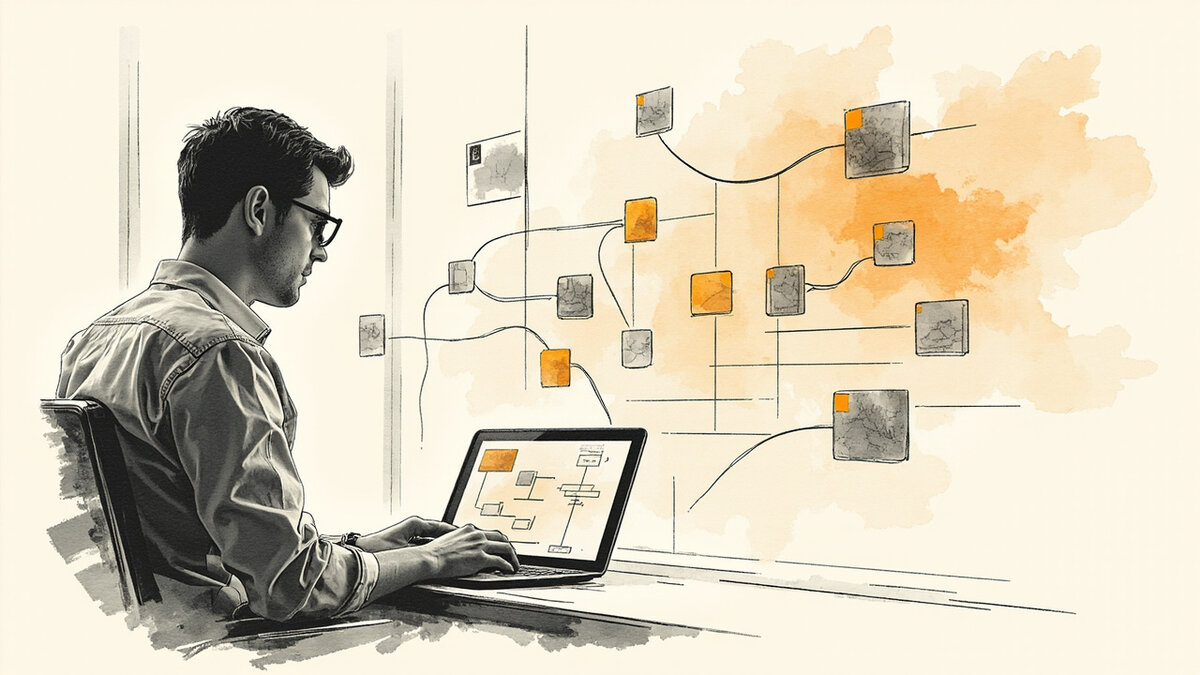

AI testimonial collection: the 5 levels, the 4 automated triggers, and the 4-step implementation
AI testimonial collection has 5 levels of AI involvement (assisted, suggested, summarized, translated, routed), 4 automated triggers (post-purchase, post-NPS, post-resolution, post-milestone), 4 automation patterns (webhook, scheduled, event-based, manual-trigger), and 3 consent considerations. The right combination turns testimonial collection from a manual task into a system that runs without human intervention. The wrong combination produces low-quality, non-consented testimonials that the team cannot use.
This page is the AI/automation view. The how to collect testimonials page is the general collection process. The testimonial forms page is the form-based collection. The import testimonials from Twitter and LinkedIn page is the social-based collection.
The testimonial import page is the CSV/API-based collection. The AI generated testimonials page is the AI-WRITTEN content (a different intent). This page is the AI/automation view: the 5 levels, the 4 triggers, the 4 patterns, the 3 consent considerations, and the 4-step implementation.
What AI testimonial collection is, and what it isn’t
AI testimonial collection is the use of artificial intelligence and automation to find, ask, capture, process, and route customer testimonials without continuous human effort. The AI does the discovery (when is the customer happiest), the asking (drafts the email), the processing (summarizes the long response), and the routing (sends the testimonial to the right wall).
AI testimonial collection is not AI-generated testimonials. AI-generated is the AI WRITING the testimonial from scratch (which is not allowed without disclosure). AI collection is the AI FINDING the right moments and ASKING for the testimonial (the customer still writes it). The two are different intents: one is fabrication, the other is amplification.
AI testimonial collection is also not the same as automated testimonial collection. Automated collection uses rules (e.g., 30 days after purchase, send a form). AI collection uses signals (e.g., the customer just gave a 9-10 NPS, ask now). The AI is the intelligence; the automation is the execution. The two work together.
The 5 levels of AI involvement
The first level is AI-assisted. The human writes the testimonial ask. The AI helps with timing (when to send), subject line (which subject gets the highest open rate), and follow-up cadence (when to send the second reminder). The human stays in control of the message. The AI optimizes the delivery. This is the safest level to start with.
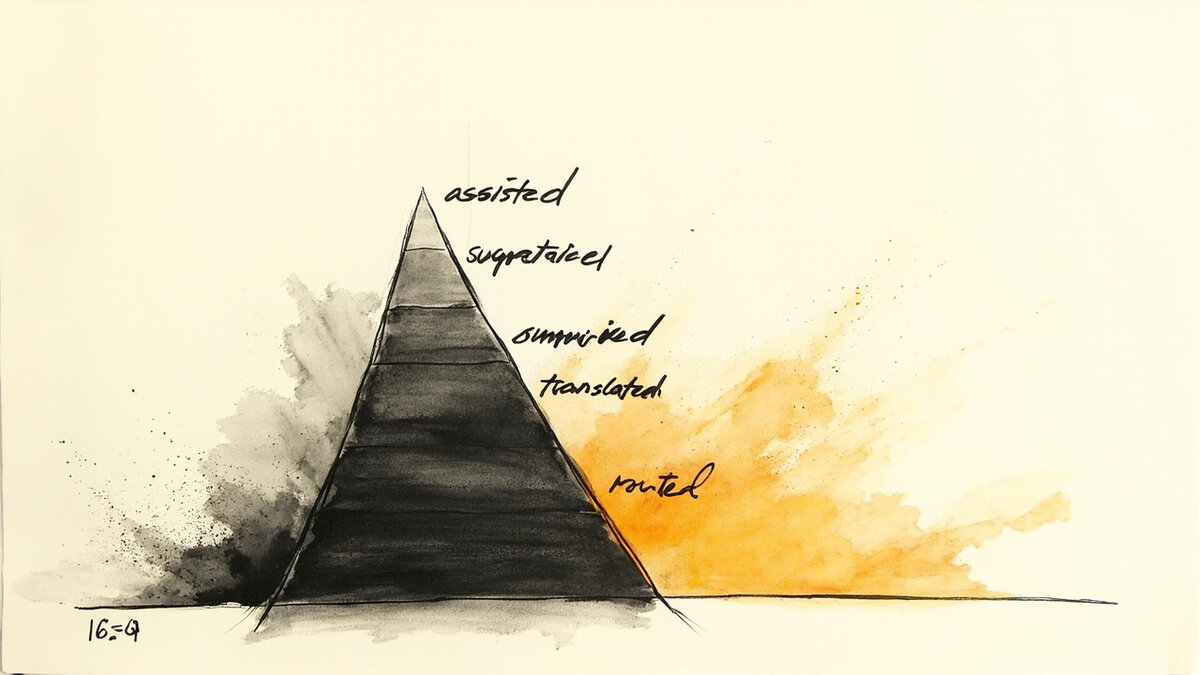
The second level is AI-suggested. The AI monitors customer behavior (NPS score, support tickets resolved positively, product milestones hit) and suggests who to ask and when. The human reviews the suggestion and decides. The AI does the discovery; the human does the asking. This is the most popular level for B2B SaaS.
The third level is AI-summarized. The customer submits a long testimonial (200+ words). The AI summarizes it to a 50-word quote that captures the most important outcome. The human reviews the summary. The summary goes on the wall. This is useful for video testimonials where the transcript is long but the quote needs to be short.
The fourth level is AI-translated. The customer submits a testimonial in one language. The AI translates it to another language for the team’s wall. The original stays as attribution; the translation becomes the wall content. This is the differentiator for international teams. Only Testivo among the 6 main tools supports this natively.
The fifth level is AI-routed. The AI monitors customer behavior, asks the right customer at the right time, summarizes the response, translates if needed, and routes the result to the right wall (e.g., a testimonial about a specific feature goes to the feature page wall). The human reviews only edge cases. This is full automation. This is the highest-leverage level but also the highest risk.
The 4 automated triggers
The first trigger is post-purchase. The trigger fires 14-30 days after the customer makes a purchase or signs up. The trigger sends a testimonial form. The timing is far enough from the purchase that the customer has used the product, close enough that the experience is fresh. The trigger is the most common automated pattern.
The second trigger is post-NPS. The trigger fires after the customer submits a 9 or 10 on an NPS survey. The trigger skips detractors (NPS 0-6) and passives (NPS 7-8). The trigger targets only the promoters, who are 3-5x more likely to submit a testimonial. The trigger has the highest conversion rate of the 4.
The third trigger is post-resolution. The trigger fires after a support ticket is resolved with a positive CSAT score. The trigger targets the customer who just experienced a great support interaction. The trigger is best for SaaS tools where support is a key differentiator. The trigger catches the moment of gratitude.
The fourth trigger is post-milestone. The trigger fires when the customer hits a meaningful outcome (e.g., 100th order, 1-year anniversary, 10x ROI). The trigger is personalized to the customer’s actual success. The trigger requires product-event integration (webhooks, event tracking). The trigger is the highest-quality but also the most complex to set up.
The 4 automation patterns
The first pattern is webhook. The product sends a webhook to the testimonial tool when a trigger event happens (e.g., post-purchase). The testimonial tool receives the event, waits the configured delay, and sends the ask. The webhook is real-time. The webhook is the most accurate trigger but also the most engineering work.
The second pattern is scheduled. The testimonial tool polls the source (CRM, support tool, NPS tool) on a schedule (e.g., daily). The tool pulls new trigger events. The tool sends the asks on the configured delay. The scheduled pattern is simpler than webhook but introduces 1-day delay. The pattern is the easiest to set up.
The third pattern is event-based. The testimonial tool integrates directly with the source tool (e.g., Stripe for post-purchase, HubSpot for post-deal, Intercom for post-resolution). The integration is built into the testimonial tool. The event-based pattern is the most reliable for the supported integrations. The pattern is the best fit for teams using standard tools.
The fourth pattern is manual-trigger. The human identifies the right moment and clicks a button in the testimonial tool. The tool sends the ask immediately. The manual pattern is the highest-quality (human judgment) but also the lowest-volume. The pattern is best for high-value accounts where the human touch matters.
The 3 consent considerations
The first consideration is explicit consent. The automated ask must include the same consent checkbox as the manual ask. The consent text says exactly what will happen with the testimonial. The consent is required regardless of how the ask was triggered. The consent is the legal floor.
The second consideration is the consent record. The testimonial tool must record the consent timestamp, the IP, and the consent text. The record is required for GDPR compliance. The record is also useful for dispute resolution if the customer later objects. The record is the documentation floor.
The third consideration is the right to opt out. The automated ask must include a one-click unsubscribe. The unsubscribe stops all future automated asks for that customer. The unsubscribe is required by CAN-SPAM and GDPR. The unsubscribe is the customer-respect floor.
The 4 things to keep human
The first human task is the personal touch on high-value accounts. The AI handles the long tail of customers. The human handles the top 10% of accounts by revenue. The personal touch on a high-value account produces a testimonial worth 10-100x more than an automated one. The personal touch is the strategic priority.
The second human task is the attribution check. The AI captures the testimonial text. The human verifies the attribution (full name, role, company) is accurate. The AI can hallucinate or confuse similar names. The human review catches the errors. The attribution check is the credibility floor.
The third human task is the quality review. The AI captures and processes the testimonial. The human reviews the output for quality (is it specific, attributed, useful, non-generic). The human rejects the generic ones. The human approves the specific ones. The quality review is the wall-credibility floor.
The fourth human task is the follow-up on incomplete submissions. The customer starts the testimonial but does not submit. The human follows up personally. The follow-up converts 20-40% of incomplete submissions. The follow-up is the recovery floor.
The 3 AI-equipped tools
The first tool is Testivo. Testivo is the only tool among the 6 main testimonial platforms with built-in AI-assisted translation. Testivo also supports AI-assisted timing (when to send the ask) and AI-assisted subject line optimization. Testivo’s free plan includes the AI-assisted translation feature. Testivo is the strongest pick for AI-equipped workflows.
The second tool is Senja. Senja supports AI-assisted subject lines and AI-assisted timing on the Pro plan. Senja does not support AI-assisted translation. Senja’s community contributes the most AI-related tips and templates. Senja is the strongest pick for AI-equipped workflows on a budget-friendly paid plan.
The third tool is Famewall. Famewall supports AI-assisted timing on the Pro plan. Famewall does not support AI-assisted translation or AI-assisted subject lines. Famewall’s free tier is the most generous. Famewall is the strongest pick for budget-conscious teams starting with AI-equipped workflows.
The 4-step implementation process
Step 1 is to pick the trigger. The team picks one of the 4 triggers (post-purchase, post-NPS, post-resolution, post-milestone). The team starts with one. The team adds more after the first one works.
Step 2 is to pick the automation pattern. The team picks one of the 4 patterns (webhook, scheduled, event-based, manual-trigger). The team matches the pattern to the trigger (e.g., post-purchase via Stripe = event-based; post-NPS via Delighted = event-based).
Step 3 is to set up the consent. The team configures the consent text, the opt-in checkbox, the consent record, and the unsubscribe link. The team tests the consent flow. The team documents the consent for compliance.
Step 4 is to launch and monitor. The team launches the automated workflow. The team checks the ask rate, the completion rate, and the testimonial quality weekly. The team adjusts the timing, the subject line, or the follow-up cadence based on the data.
The 3 things to test
The first thing to test is the trigger. The team runs an A/B test with two triggers (e.g., post-purchase at 14 days vs 30 days). The team measures the completion rate. The team picks the winner. The test takes 2-4 weeks.
The second thing to test is the ask subject line. The team runs an A/B test with two subject lines (AI-generated vs human-written). The team measures the open rate. The team picks the winner. The test takes 2-4 weeks.
The third thing to test is the timing. The team runs an A/B test with two send times (Tuesday 10am vs Thursday 2pm). The team measures the open rate. The team picks the winner. The test takes 2-4 weeks.
The journey after this page
If you have the AI/automation view and want the general collection process, the how to collect testimonials page is the parent reference. For the form-based collection (the most common AI-equipping target), the testimonial forms page is the dedicated reference.
For the social-based collection, the import testimonials from Twitter and LinkedIn page is the dedicated reference. For the import-based collection, the testimonial import page is the dedicated reference.
For the AI-WRITTEN content (a different intent from AI-COLLECTED), the AI generated testimonials page is the dedicated reference. For the broader category of which tool to use, the best testimonial software page is the top-6 roundup. For the 1:1 alternatives, the Testimonial.to alternatives page is the dedicated reference.
For teams that want to add AI-assisted workflows to their existing collection process, Testivo is the only one of the 6 main testimonial tools with built-in AI-assisted translation, and it supports AI-assisted timing on all plans including free. The AI levels are the framework. The triggers are the events. The patterns are the deployment. The consent considerations are the legal floor.
The 5 levels are not a ladder. The team does not need to climb from assisted to routed. The team picks the level that matches the team’s risk tolerance and the team’s review capacity. Most teams stay at level 1 or 2 for years. Level 5 is for high-volume teams with dedicated ops staff.
AI can help validate that consent was captured at submission time, but it cannot generate consent retroactively. For the consent requirements themselves, see the GDPR testimonial consent guide.
AI helps filter and score aggregated content, which complements the AI collection methods covered in the AI collection page.
AI assists with filtering and scoring aggregated content, which complements the methods covered in the testimonial aggregator guide. Related: aggregating reviews from Google. Related: in-app triggers.